
Guide rapide
Calculateur DPI
Le DPI décrit le nombre de pixels présents dans un pouce d’écran. DPI est le terme technique le plus précis pour une image numérique.
For example, a display with a resolution of 1366 × 768 and a diagonal size of 11.6 inches has a much different pixel density from a larger screen using the same resolution. This is because the same number of pixels are spread across a different physical area. A smaller screen with the same resolution will have more pixels per inch.
What Is Monitor DPI?
Monitor DPI is commonly used to describe the number of display pixels contained within one inch of a screen. In strict technical terminology, PPI (pixels per inch) is the more precise term for a digital display because screens contain pixels rather than printer dots. However, DPI is widely used when people search for screen pixel density, which is why this calculator uses the term screen DPI as well as PPI.
A higher pixel density means that individual pixels are smaller and more closely packed together. This can make text, icons, photographs, and other graphics appear more detailed and less pixelated. However, pixel density is only one factor affecting perceived image quality. Viewing distance, screen size, scaling, and the quality of the content displayed also matter.
How Is Screen DPI Calculated?
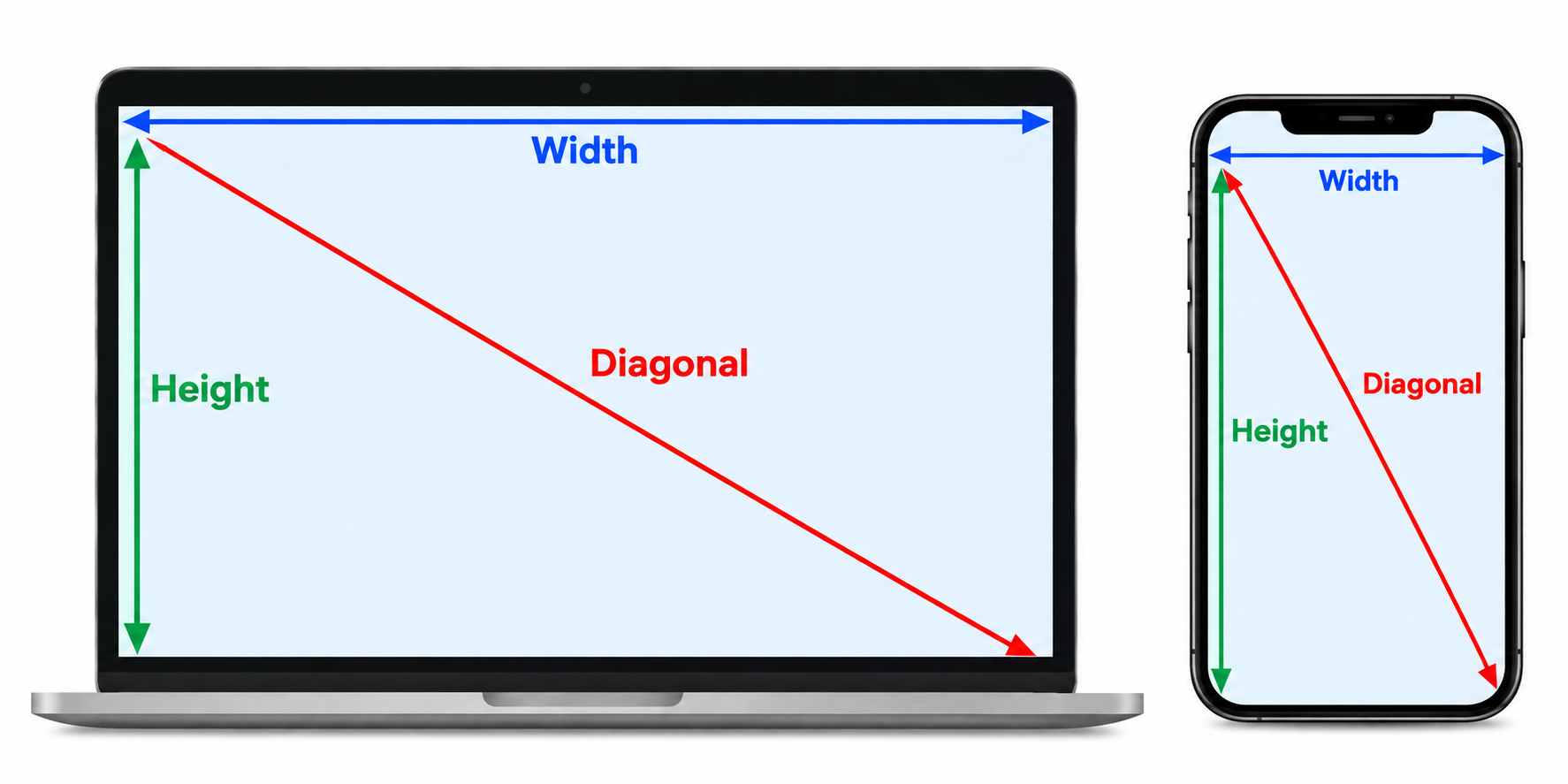
Our screen DPI calculator uses your horizontal resolution, vertical resolution, and physical screen size. First, it calculates the number of pixels along the display's diagonal using the horizontal and vertical pixel dimensions. That diagonal pixel count is then divided by the physical diagonal size in inches.
The formula is:
DPI = √(width² + height²) ÷ diagonal screen size
For example, if a monitor has a resolution of 1920 × 1080 and a diagonal size of 24 inches, the diagonal pixel resolution is calculated from the width and height. Dividing that value by 24 gives a screen density of approximately 92 pixels per inch.
Comment utiliser le calculateur DPI
Calculez la densité de pixels de votre écran en quelques étapes.
Vérifiez la résolution détectée.
À l’ouverture, la largeur et la hauteur peuvent être détectées automatiquement. Vérifiez les valeurs affichées.
Modifiez la résolution si nécessaire.
Si les valeurs ne correspondent pas à votre écran, saisissez la résolution horizontale et verticale correcte.
Saisissez la taille de l’écran.
Indiquez la diagonale en pouces, mesurée d’un coin visible à l’autre, sans le cadre.
Cliquez sur « Calculer le DPI ».
Après avoir renseigné la résolution et la taille, cliquez sur le bouton de calcul.
Consultez le résultat DPI.
Le résultat indique le nombre de pixels par pouce. Un DPI élevé permet généralement une image plus nette.
Why Does Monitor DPI Matter?
Screen DPI is useful when comparing displays that have different resolutions and physical sizes. Two monitors can have exactly the same resolution but different pixel densities if their screen sizes are different.
For example, a 1920 × 1080 resolution on a 21.5-inch display has a higher pixel density than the same 1920 × 1080 resolution on a 27-inch display. The smaller display packs those pixels into a smaller physical area.
Pixel density can be particularly useful when choosing a monitor for reading, programming, graphic design, photography, gaming, or general desktop use. A higher density can provide finer-looking text and graphics, although the ideal density also depends on how far you normally sit from the screen.
Monitor DPI vs Resolution
Screen resolution tells you how many pixels the display contains horizontally and vertically, while DPI/PPI describes how densely those pixels are packed into the physical screen.
This distinction is important when comparing monitors. A 27-inch 4K monitor and a 32-inch 4K monitor have the same number of pixels, but the 27-inch display has a higher pixel density because those pixels are packed into a smaller physical screen.
DPI and Viewing Distance
A screen's pixel density does not tell the entire story about how sharp it will appear. Viewing distance also affects how easily individual pixels can be distinguished. A phone is normally viewed much closer to your eyes than a desktop monitor, so phones generally use much higher pixel densities.
This is also why a large display can provide a good viewing experience at a lower pixel density when it is viewed from farther away. When comparing screens, consider both the calculated DPI and how you will actually use the display.